



How do I log in?
Visit https://hpmi.online/login/index.php and enter your username and password.
- Don’t have an account? Select Create new account.
- Forgotten your password? Select Lost password on the login page.
If you continue to experience difficulties accessing your account, contact [email protected] for assistance.
I have forgotten my password. How do I reset it?
Visit https://hpmi.online/login/index.php and select Lost password.
Follow the prompts to reset your password using the email address associated with your account.
If you do not receive the reset email or continue to experience difficulties, contact [email protected].
My account is locked
If your account is locked, first try resetting your password using the Lost password link on the login page:
https://hpmi.online/login/index.php
If you are still unable to access your account, contact [email protected] and provide:
- Your name
- Email address
- Brief description of the issue
How do I create an account?
Visit https://hpmi.online/login/index.php and select Create new account.
Follow the prompts to complete your registration.
Note: Creating an account does not automatically enrol you in a course or webinar recording. A separate enrolment is required for each course or recording, and an enrolment key may be required.
If you need assistance or cannot locate your enrolment key, contact [email protected].
How do I change my email address?
- Log in to your HPMI Moodle account.
- Open your profile settings.
- Update your email address.
- Save your changes.
Your new email address will be used for future communications and password reset requests.
Access Moodle: https://hpmi.online/login/index.php
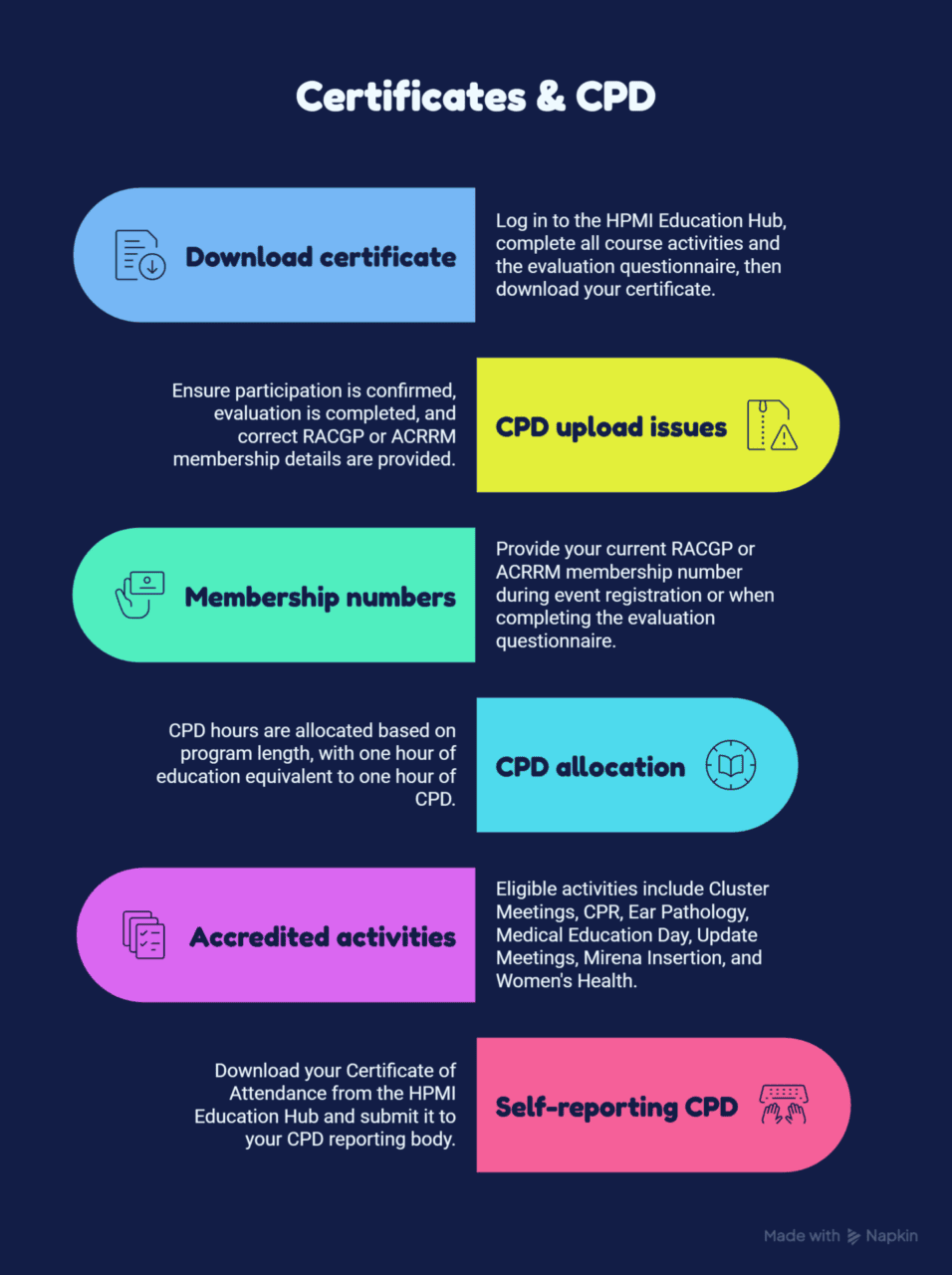
How do I download my certificate?
Log in to the HPMI Education Hub (Moodle):
https://hpmi.online/login/index.php
Once logged in, open the course you attended from your Recent Courses list or course dashboard.
Before your certificate becomes available, you must complete all required course activities, including the evaluation questionnaire.
To download your certificate:
- Open the relevant course.
- Navigate to the certificate section.
- Select the certificate.
- Download or save it to your device.
If you cannot access your course, have not completed the evaluation, or cannot locate your certificate, contact [email protected].
When will my certificate become available?
Your Certificate of Attendance will become available once you have completed all required course activities, including the evaluation questionnaire.
To access your certificate:
- Log in to the HPMI Education Hub (Moodle).
- Open the relevant course.
- Navigate to the certificate section.
- Download or save your certificate.
If you have completed all requirements and your certificate is not available, contact [email protected].
Why can’t I see a certificate?
If you cannot see your certificate, first check that you have completed:
- The evaluation questionnaire
- Any other required course activities
Certificates are only available once all course requirements have been completed.
To access your certificate:
- Log in to the HPMI Education Hub (Moodle).
- Open the relevant course.
- Navigate to the certificate section.
If you have completed all requirements and your certificate is still unavailable, contact [email protected].
Why hasn’t my CPD been uploaded?
There are several reasons why your CPD may not have been uploaded:
- You have not been confirmed as a participant in the educational event.
- You have not completed the event evaluation questionnaire.
- Your RACGP or ACRRM membership number was not provided or is incorrect.
- The surname provided does not match your RACGP or ACRRM membership record.
- The required information was not submitted within the CPD reporting timeframe.
To help ensure your CPD is uploaded successfully, provide your current RACGP or ACRRM membership number and the surname associated with your membership when registering for an event or completing an evaluation questionnaire.
If you believe your CPD should have been uploaded and it is not appearing in your CPD Home, contact [email protected].
How do I provide my RACGP or ACRRM membership number?
Provide your current RACGP or ACRRM membership number when:
- Registering for an event
- Completing an event evaluation questionnaire
Providing your membership number helps ensure your CPD participation is recorded and reported correctly.
For more information, visit:
CPD Accreditation
If you need assistance updating your membership number, contact [email protected].
How are CPD hours allocated?
For eligible CPD-accredited activities, CPD hours are generally allocated based on the length of the educational program.
As a guide:
- One hour of education is typically equivalent to one hour of CPD.
- Approved CPD hours are communicated in the event information before attendance.
Which activities are eligible for CPD?
All educational activities provide a Certificate of Attendance, which can be used as evidence of participation for CPD purposes.
HPMI is accredited to upload CPD for RACGP and ACRRM members for eligible accredited activities. CPD eligibility varies by event.
Examples of activities accredited for CPD upload include:
- Cluster Meetings
- CPR Course
- Ear Pathology & Wax Management Course
- HPMI Medical Education Day
- HPMI Update Meetings
- Mirena Insertion Course
- Women’s Health Interest Group
Examples of activities not accredited for CPD upload include:
- Nursing CPD Webinars
- Practice Administration Webinars
GP participants may wish to determine whether these activities are eligible for self-reporting under their individual CPD requirements.
To check whether an activity is CPD accredited, locate the activity on the HPMI website and confirm which HPMI stream it falls under.
If you are unsure whether an activity is eligible for CPD upload, contact [email protected].
How do I self-report CPD?
If your CPD is not being uploaded directly by HPMI, you may be able to self-report your activity to your reporting body.
To self-report:
- Log in to the HPMI Education Hub (Moodle).
- Open the relevant course.
- Download your Certificate of Attendance.
- Submit the certificate to your CPD reporting body in accordance with their requirements.
Before downloading your certificate, ensure you have completed all required course activities, including the evaluation questionnaire.
Note: HPMI is accredited to upload CPD for RACGP and ACRRM members only. Participants affiliated with other CPD programs or professional bodies may need to self-report their CPD using their Certificate of Attendance.
If you are unable to access your certificate, contact [email protected].
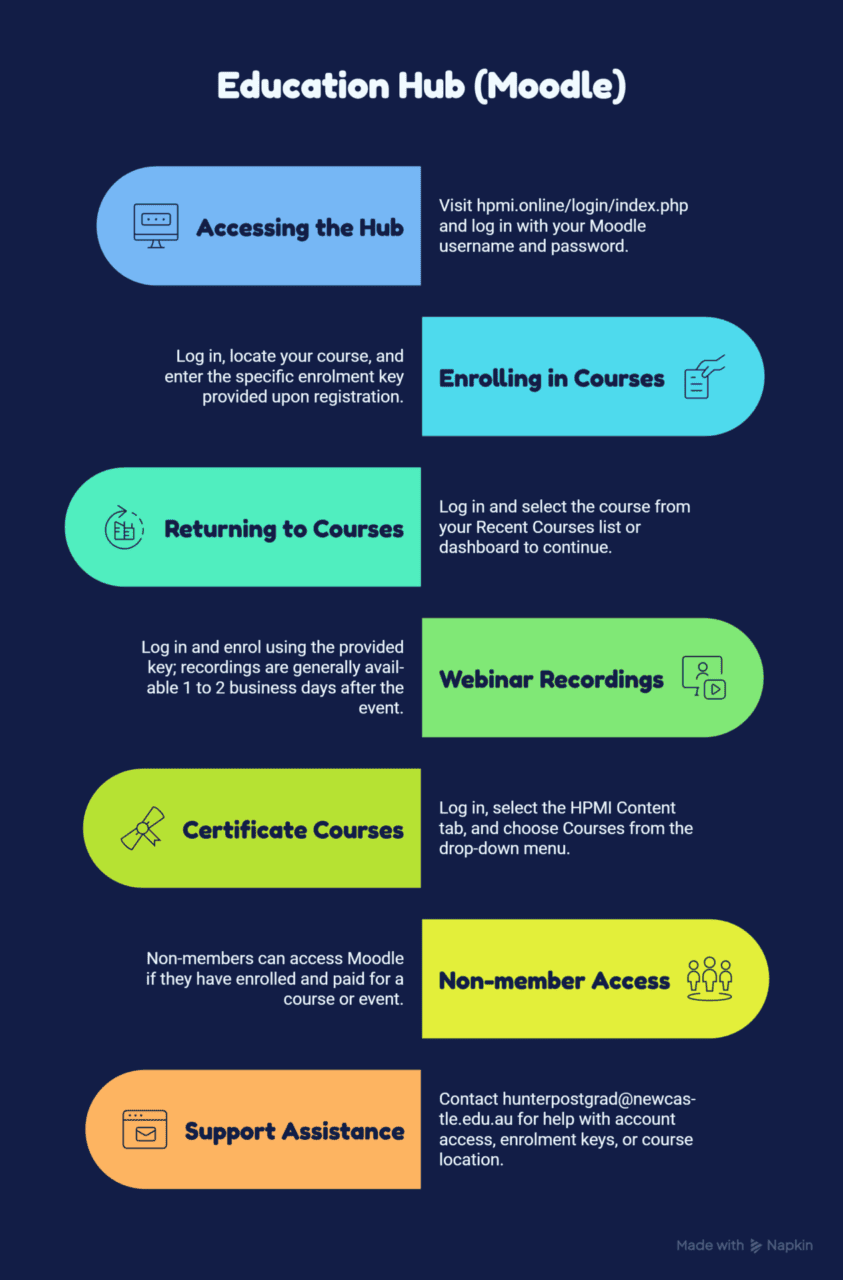
How do I access the Education Hub?
The HPMI Education Hub is available through Moodle:
https://hpmi.online/login/index.php
Log in using your Moodle username and password. Once logged in, you can access your enrolled courses, webinar recordings, certificates, and other educational resources.
- Don’t have an account? Select Create new account and follow the prompts.
- Forgotten your password? Select Lost password on the login page.
Note: Creating a Moodle account does not automatically enrol you in courses or webinar recordings. A separate enrolment is required for each course.
If you continue to experience difficulties accessing the Education Hub, contact [email protected].
Video: Creating a Moodle Account
Watch the step-by-step account creation guide:
https://vimeopro.com/hpmi/new-account-creation/video/1222589431
How do I enrol in a course?
Log in to the HPMI Education Hub:
https://hpmi.online/login/index.php
Once logged in, locate the course you wish to access from your course listing or Recent Courses menu.
When prompted, enter the enrolment key provided when you registered for the course or event.
Note: A separate enrolment is required for each course or webinar recording.
If you cannot locate your enrolment key, contact [email protected].
How do I return to a course I have started?
Log in to the HPMI Education Hub:
https://hpmi.online/login/index.php
Locate the course in your Recent Courses list or course dashboard and select the course name to continue where you left off.
To view course content or recordings, select the presenter video or relevant activity within the course.
If you cannot find your course, contact [email protected].
How do I access webinar recordings?
Most webinar recordings are available on demand, provided the presenter has granted permission for the recording to be shared.
To access a recording:
- Log in to your Moodle account.
- Locate the webinar recording.
- Enter the enrolment key provided when you registered for the event.
Note: A separate enrolment is required for each recording.
If you attended the webinar, recording access details are generally provided after the event. Please allow 1 to 2 business days for the recording to become available.
If you have not received your enrolment key, contact [email protected] and advise which recording you would like to access.
How long are recordings available for?
Webinar recordings remain available indefinitely unless they are removed at the request of the presenter or due to other exceptional circumstances.
How do I find Certificate Courses?
Log in to the HPMI Education Hub:
https://hpmi.online/login/index.php
Once logged in:
- Select the HPMI Content tab.
- Choose Courses from the drop-down menu.
- Browse and access available Certificate Courses.
If enrolment is required, enter the enrolment key provided when you registered.
If you are unable to locate a course, contact [email protected].
Can non-members access the Education Hub (Moodle)?
Yes. Non-members can access Moodle if they have enrolled and paid for a course or event.
Non-members can use Moodle to:
- Complete evaluation questionnaires
- Download certificates of attendance
- Access webinar recordings (where available)
- Access course materials included with their registration
Access to recordings is subject to presenter approval.

How do I register for an event?
Register using the link in your event invitation email or by visiting the HPMI Events page and selecting the event you wish to attend.
After submitting your registration, you will receive a confirmation email with further event details.
If you require assistance, contact [email protected] or 02 4913 8163.
How do I join a webinar?
On the day of the webinar, you will receive an email and SMS containing your webinar link, event details, and any applicable CPD information.
We recommend joining a few minutes before the scheduled start time to allow time to connect and resolve any technical issues.
If you have not received your webinar link by the scheduled start time, contact [email protected].
Where can I find my Zoom link?
Your Zoom webinar link will be sent to the email address and mobile number you provided when registering.
The email and SMS are typically sent on the day of the webinar and include:
- Your webinar link
- Event details
- Relevant CPD information
Before the webinar starts, check your inbox, junk/spam folder, and text messages.
If you have not received your Zoom link on the day of the event, contact [email protected].
Can I attend if I register after the event has started?
Registration before the event starts is recommended.
For face-to-face events, registering in advance helps ensure catering and dietary requirements can be accommodated.
For webinars, late registrations may be accepted. However, access details can only be provided once your registration has been received and processed by the event coordinator. To avoid delays, we recommend registering before the scheduled start time.
How do I cancel my registration?
To cancel your registration, contact the event coordinator listed on the event invitation or educational program as soon as possible.
If you are a non-member, cancellation fees may apply. Please refer to the event cancellation policy for details.
If you need help identifying the event coordinator, contact [email protected].
Can I transfer my registration to another person?
No. Registrations are non-transferable and cannot be transferred to another person.
If you are unable to attend, contact the event coordinator as soon as possible. Cancellation terms and fees may apply. Refer to the event cancellation policy or contact the event coordinator for further information.
What happens if I miss a webinar?
If you registered for the webinar but were unable to attend the live session, you will receive information on how to access the recording, provided:
- The recording has been made available by HPMI.
- The presenter has granted permission for the recording to be shared.
Please allow 1 to 2 business days after the event for the recording to become available.
Can I watch recordings on demand?
Yes. Webinar recordings can be watched on demand at a time that suits you, provided the recording has been made available by HPMI.
A separate enrolment is required for each recording you wish to access.
If you have not received the enrolment key after registering for an event, email [email protected] and advise which recording you would like to access.
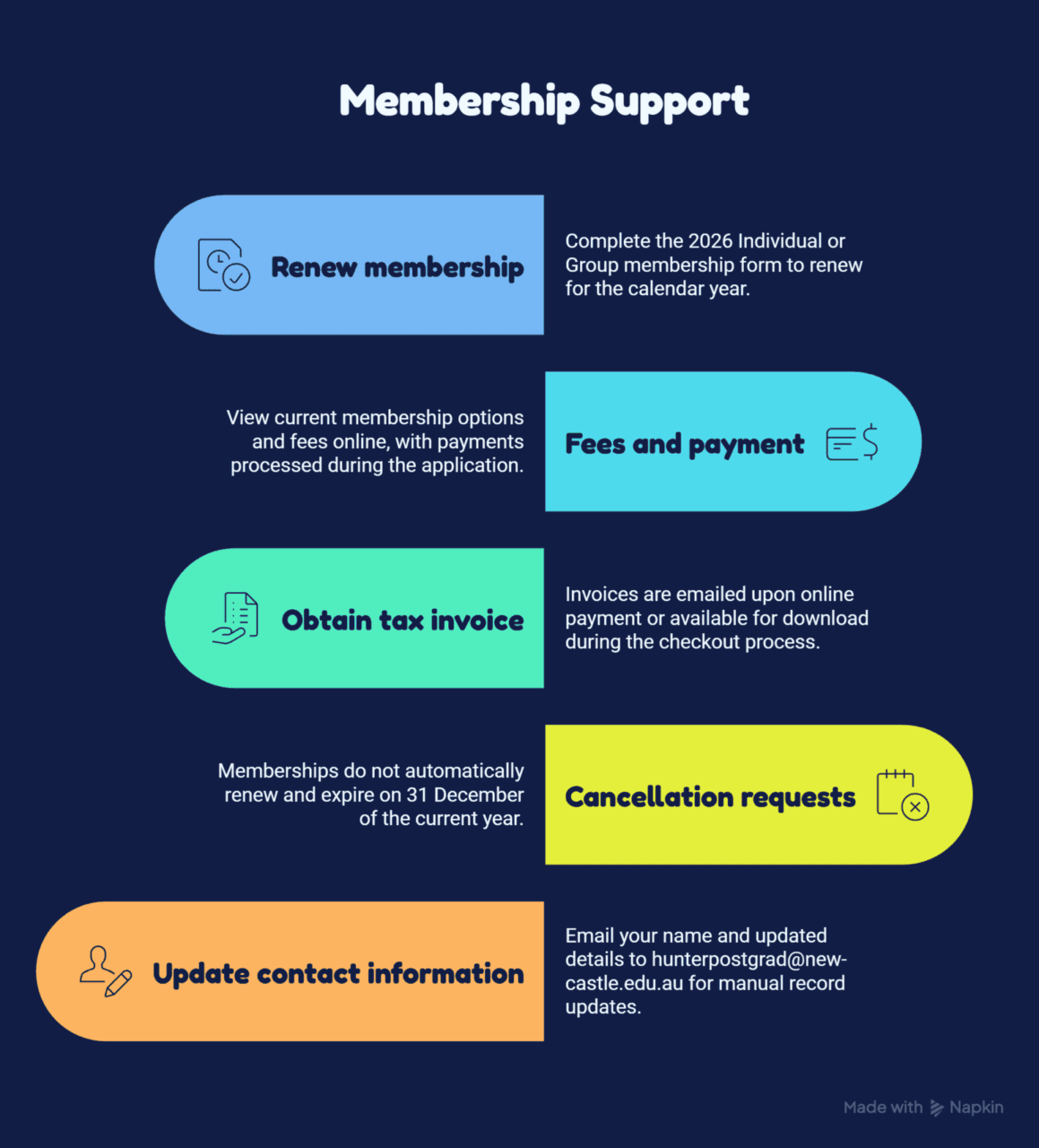
Membership types explained
HPMI offers both Individual and Group Membership options to support healthcare professionals and practice teams.
Individual memberships are available for:
- General Practitioners
- Registrars
- Nurses
- Allied Health Professionals
- Practice Managers
- Medical Receptionists and Administrative Staff
- Students
Group memberships allow practices and organisations to enrol multiple staff members under a single membership arrangement.
Membership provides access to professional development opportunities, educational events, networking, and member benefits throughout the year.
For more information about membership categories, fees, and benefits, visit: https://www.hpmi.org/membership/
What are the benefits of HPMI membership?
HPMI membership provides access to a range of professional development, education, and networking opportunities.
Member benefits include:
- Discounted registration fees for eligible events
- Educational programs and webinars
- CPD opportunities
- Networking events
- Online learning resources
- Professional development activities throughout the year
HPMI supports General Practitioners, Nurses, Allied Health Professionals, Practice Managers, and Administrative Staff through practical education and ongoing learning opportunities.
For a full list of membership benefits, visit: https://www.hpmi.org/membership/
Do I need to be an HPMI member to attend events?
No. HPMI membership is not required to attend events.
Non-members are welcome to participate, subject to the applicable fees outlined in the event program.
How do I renew my membership?
HPMI membership operates on a calendar year basis, from 1 January to 31 December each year.
To renew or apply for membership, complete the appropriate membership application form:
- Individual Membership
- Group Membership
HPMI offers both Individual and Group Membership options. If you are unsure which membership type is right for you, contact [email protected] for assistance.
For more information, visit: https://www.hpmi.org/membership/
Membership fees and payment methods
Membership fees vary depending on your profession and whether you choose an Individual Membership or Group Membership.
To view current membership options, eligibility requirements, and fees, visit: https://www.hpmi.org/membership/
How do I obtain a tax invoice?
If you pay for an event or membership online by credit card, a tax invoice will be emailed to the email address provided during the payment process.
You may also be able to download or save a copy of the invoice at the time payment is processed.
If you cannot locate your tax invoice:
- Check your junk or spam folder.
- Contact [email protected] and provide details of the event or membership payment.
Can I cancel my membership?
HPMI memberships are valid for the current membership year and do not automatically renew.
Membership benefits are provided for a fixed membership period, and cancellation requests do not extend the membership term beyond the current membership year.
Please note:
- Membership expires on 31 December of the applicable membership year.
- Members wishing to continue their membership must submit a new membership application for the following year.
If you have questions about your membership status, contact [email protected].
How do I update my contact information?
Contact details cannot currently be updated online.
To update your information, email [email protected] and include your name and the details you would like updated, such as:
- Email address
- Phone number
- Practice name
- Practice address
- Postal address
HPMI will update your records on your behalf.
If you are unsure which details are currently recorded, contact [email protected] for assistance.
How do I access the Education Hub?
The HPMI Education Hub is available through Moodle:
https://hpmi.online/login/index.php
Log in using your Moodle username and password. Once logged in, you can access your enrolled courses, webinar recordings, certificates, and other educational resources.
- Don’t have an account? Select Create new account and follow the prompts.
- Forgotten your password? Select Lost password on the login page.
Note: Creating a Moodle account does not automatically enrol you in courses or webinar recordings. A separate enrolment is required for each course.
If you continue to experience difficulties accessing the Education Hub, contact [email protected].
Video: Creating a Moodle Account
Watch the step-by-step account creation guide:
https://vimeopro.com/hpmi/new-account-creation/video/1222589431
How do I enrol in a course?
Log in to the HPMI Education Hub:
https://hpmi.online/login/index.php
Once logged in, locate the course you wish to access from your course listing or Recent Courses menu.
When prompted, enter the enrolment key provided when you registered for the course or event.
Note: A separate enrolment is required for each course or webinar recording.
If you cannot locate your enrolment key, contact [email protected].
How do I return to a course I have started?
Log in to the HPMI Education Hub:
https://hpmi.online/login/index.php
Locate the course in your Recent Courses list or course dashboard and select the course name to continue where you left off.
To view course content or recordings, select the presenter video or relevant activity within the course.
If you cannot find your course, contact [email protected].
How do I access webinar recordings?
Most webinar recordings are available on demand, provided the presenter has granted permission for the recording to be shared.
To access a recording:
- Log in to your Moodle account.
- Locate the webinar recording.
- Enter the enrolment key provided when you registered for the event.
Note: A separate enrolment is required for each recording.
If you attended the webinar, recording access details are generally provided after the event. Please allow 1 to 2 business days for the recording to become available.
If you have not received your enrolment key, contact [email protected] and advise which recording you would like to access.
How long are recordings available for?
Webinar recordings remain available indefinitely unless they are removed at the request of the presenter or due to other exceptional circumstances.
How do I find Certificate Courses?
Log in to the HPMI Education Hub:
https://hpmi.online/login/index.php
Once logged in:
- Select the HPMI Content tab.
- Choose Courses from the drop-down menu.
- Browse and access available Certificate Courses.
If enrolment is required, enter the enrolment key provided when you registered.
If you are unable to locate a course, contact [email protected].
Can non-members access the Education Hub (Moodle)?
Yes. Non-members can access Moodle if they have enrolled and paid for a course or event.
Non-members can use Moodle to:
- Complete evaluation questionnaires
- Download certificates of attendance
- Access webinar recordings (where available)
- Access course materials included with their registration
Access to recordings is subject to presenter approval.
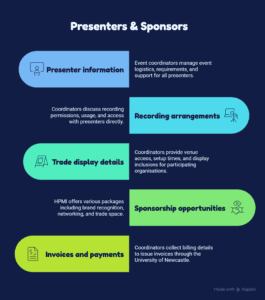
Information for presenters
If you are presenting at an HPMI event, you will be assigned an event coordinator who will liaise with you regarding all event arrangements.
Your event coordinator will provide information such as:
- Event date, time, and format
- Presenter requirements and deadlines
- Presentation and resource submission details
- Webinar access information (where applicable)
- CPD and attendee information
- Technical and administrative support
All presenter communications, event logistics, and presentation requirements are coordinated through your assigned event coordinator.
If you are unsure who your event coordinator is, contact [email protected].
Can my presentation be recorded?
If you are presenting at an HPMI event, your assigned event coordinator will contact you to discuss recording arrangements and seek your permission for the session to be recorded.
Your event coordinator will explain:
- How the recording may be used
- Who will have access to the recording
- Any presenter requirements or preferences
- Options for discussing questions or concerns
If you have not been contacted about recording permissions, contact [email protected].
Trade display information
If your organisation is participating in a trade display, your assigned event coordinator will contact you before the event with all relevant information.
This information may include:
- Event date, time, and venue details
- Trade display set-up and pack-down times
- Venue access and parking instructions
- Trade display inclusions
- Catering arrangements
- Representative registration details
- Opportunities to engage with attendees
- Venue maps and directions
Trade display inclusions may vary between events and can include:
- Tables and chairs
- Name badges
- Participant lists (where applicable)
- Event programs
Any event-specific requirements, deadlines, or venue instructions will be provided by your event coordinator.
If you have not received your event information or are unsure who your event coordinator is, contact [email protected].
What sponsorship opportunities are available?
HPMI offers sponsorship and trade display opportunities for selected educational events throughout the year.
Sponsorship prospectuses are generally distributed approximately one month before an event and may also be available from the HPMI Events page:
https://www.hpmi.org/events/category/hpmi-events/
Sponsorship opportunities may include:
- Brand recognition on event promotional materials
- Company logo and website link on the HPMI website (where included in the package)
- Trade display space at the event
- Access to participants and networking opportunities
- Opportunity to address webinar attendees (where applicable)
- Catering for attending representatives
- Access to participant and trade contact information (where included in the package)
Available sponsorship packages, inclusions, pricing, and conditions vary between events and are outlined in the event-specific sponsorship prospectus.
To enquire about upcoming sponsorship opportunities, contact [email protected] or 02 4913 8163.
How do sponsorship invoices and payments work?
Once your sponsorship or trade display booking has been confirmed, your event coordinator will contact you to obtain the information required to issue an invoice.
You may be asked to provide:
- Organisation name
- Accounts payable contact details
- Billing address
- Purchase order number (if required)
- Email address for invoice delivery
Invoices are issued by the University of Newcastle, and payment instructions will be included on the invoice.
Please note that sponsorship benefits and trade display arrangements may be subject to payment being received by the specified due date.
If you have questions about your invoice or payment, contact your event coordinator or [email protected].
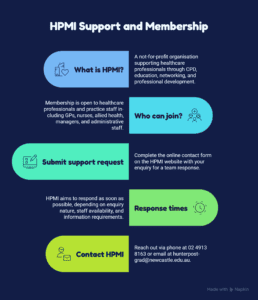
What is HPMI?
HPMI (Hunter Postgraduate Medical Institute) is a not-for-profit organisation that supports healthcare professionals through continuing professional development (CPD), education, networking, and professional development opportunities.
HPMI supports:
- General Practitioners
- Nurses
- Allied Health Professionals
- Practice Managers
- Medical Receptionists and Administrative Staff
HPMI delivers educational events, webinars, courses, and conferences that support ongoing learning across the Hunter and surrounding regions.
Who can join HPMI?
HPMI membership is open to healthcare professionals and practice staff, including:
- General Practitioners
- Nurses
- Allied Health Professionals
- Practice Managers
- Medical Receptionists and Administrative Staff
Membership provides access to professional development opportunities, educational events, networking opportunities, and member benefits throughout the year.
For information about membership categories, fees, and benefits, visit: https://www.hpmi.org/membership/
How do I submit a support request?
An online contact form is available on the HPMI website.
Complete the form with your enquiry and a member of the HPMI team will respond as soon as possible.
Access the contact form here: https://www.hpmi.org/contact-us/
How long will it take to receive a response?
HPMI aims to respond to enquiries as soon as possible.
Response times may vary depending on:
- The nature of your enquiry
- Staff availability
- Whether additional information is required
For event-specific enquiries, you may also contact the event coordinator listed in the educational program.
How can I contact HPMI?
You can contact HPMI using the details below:
- Phone: 02 4913 8163
- Email: [email protected]
Additional contact information is available on the HPMI Contact Us page: https://www.hpmi.org/contact-us/